ai canvas / workflow board
Every image, clip and sound for a project on one board.
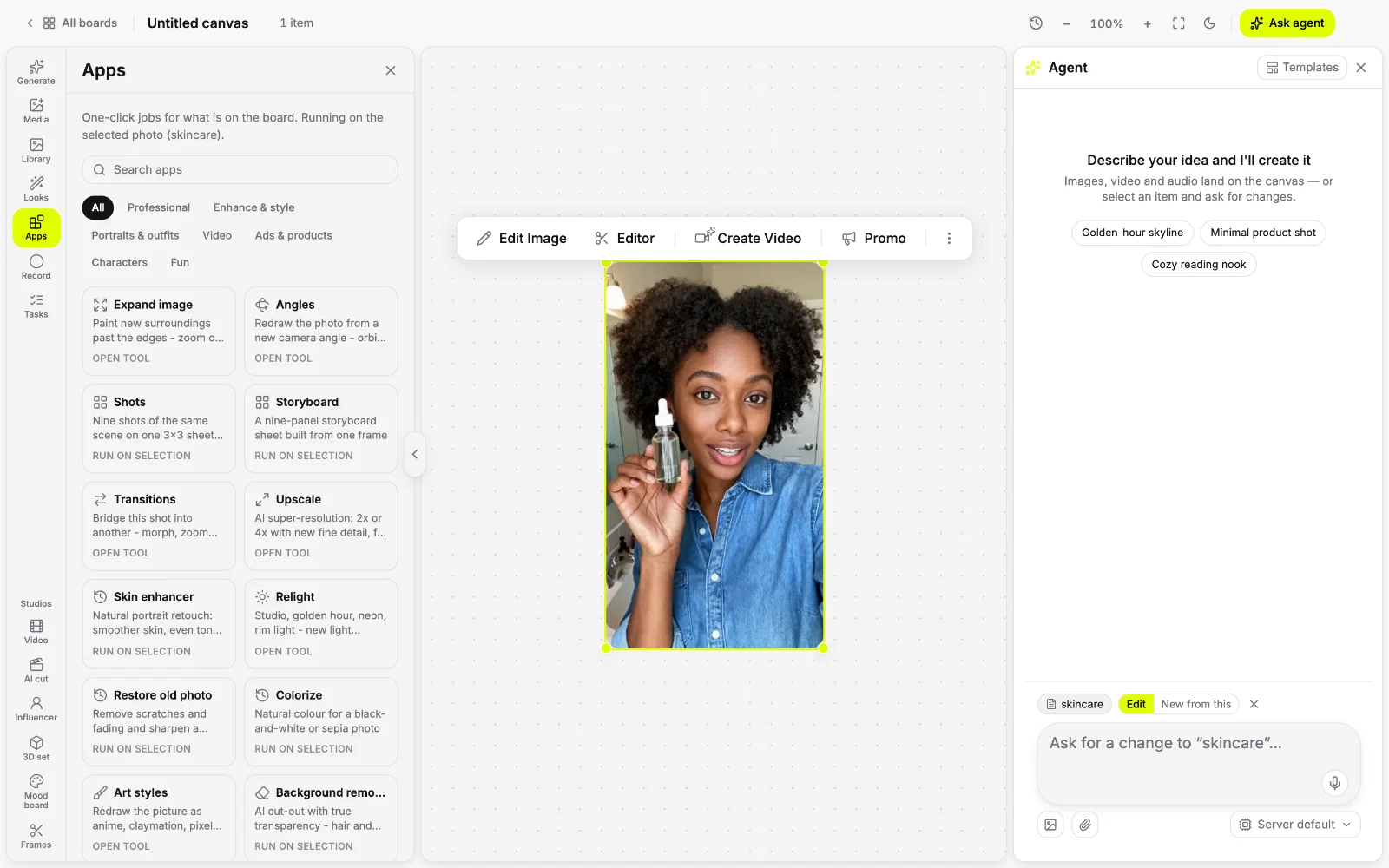
A multi-asset AI workflow board keeps the whole project in view. Generate the stills, turn them into clips, add music and voice, and edit each piece next to the others instead of across tabs.
● inside yantra
What you get.
All media side by side
Images, video and audio sit on the same board, so every version stays in view.
One step feeds the next
Select a still to animate it, or a clip to add music, and the result lands beside it.
An agent beside the board
Ask for a change in plain words and the agent works on what you selected.
Editors and apps on hand
Open the video, photo or audio editor, or run one of 150 one-click apps.
● how it works
How to run a project on one board
Start with what you have
Upload images, clips and audio, or generate the first ones on the board.
Build each piece from the last
Select an item to animate it, edit it, add sound or run an app; results land beside it.
Export the set
Download each file or export the finished cut.
● try asking
Start with one prompt.
Pick one and it lands in the composer, ready to send.
● questions
Asked often.
What is a multi-asset AI workflow board?
A single canvas where you generate and edit images, video and audio together. Each result stays next to the others, so the board is the AI creative workflow for the whole project.
How is it different from one prompt box?
A prompt box gives you one result at a time. On the board you keep every version, feed one into the next and edit them side by side.
Is my board saved?
Yes. Your canvases are saved, so you can come back to a board and keep going.
● more on canvas
More one-click apps.
- AI canvas
Generate, direct and edit image, video and audio on one board.
- AI image upscaler
Upscale a photo or clip 2x or 4x, with new fine detail.
- AI product photography
Turn a plain product photo into a clean studio shot.
- Magic eraser
Remove an object, person or text from a photo, gap filled in.
- AI image extender
Expand a photo past its edges, or widen it to a new shape.