openart alternative / ai canvas
The OpenArt alternative that takes the story from storyboard to finished cut.
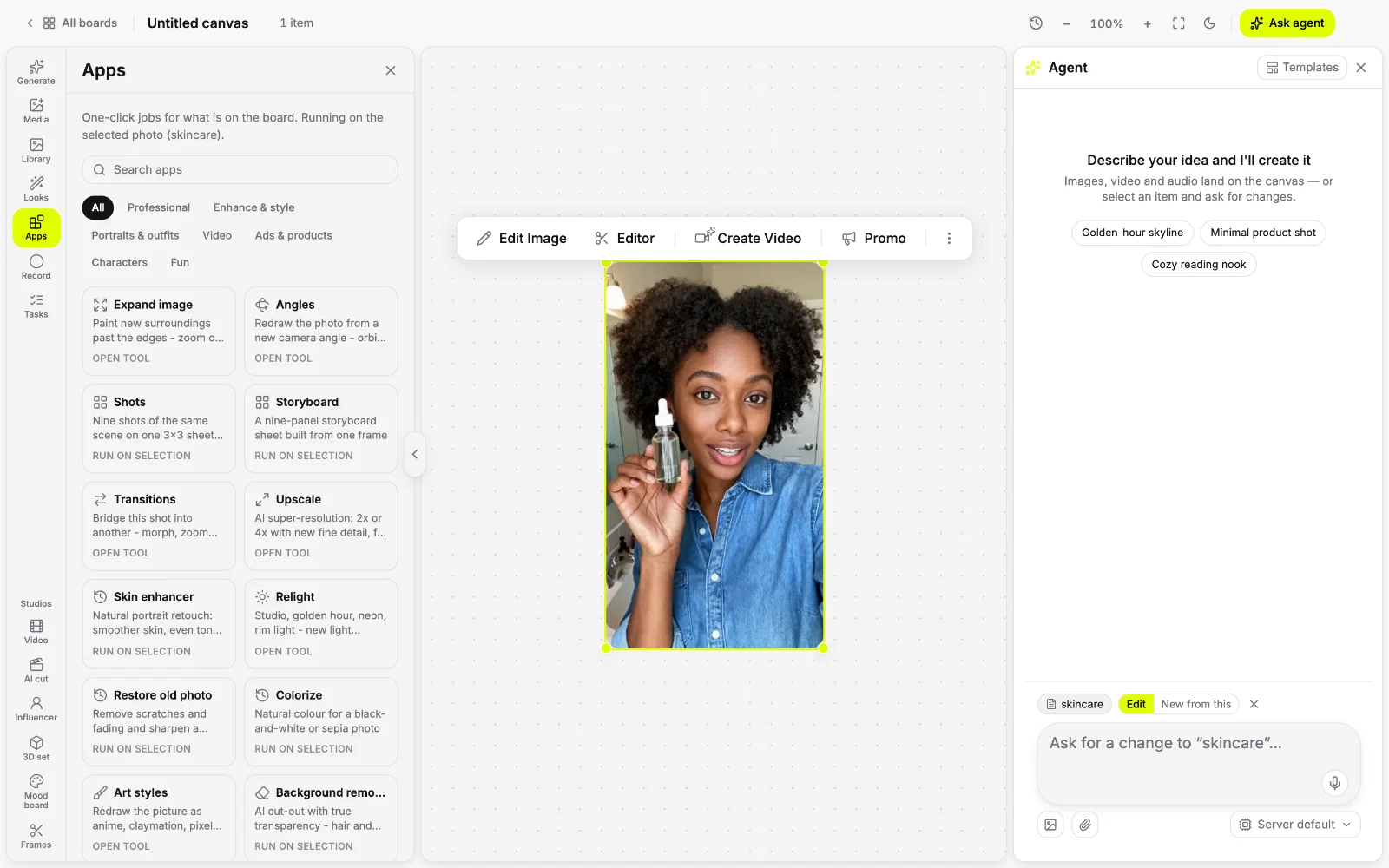
OpenArt is a capable all-in-one platform for characters and story video. Yantra Canvas is an OpenArt AI alternative built around a board: image, video and audio side by side, one-click apps, a timeline editor and an agent, inside a workspace that handles the rest of the job.
● inside yantra
What you get.
Storyboard, then shoot
Turn a script into a storyboard, direct each shot with camera, palette and lighting, and keep characters and products the same across shots with references.
150 one-click apps
Upscale, relight, change the angle, lip sync, translate a video or turn a product photo into a studio shot, right on the board.
Editors on the same board
A timeline video editor with captions and music, photo and audio editors, and AI cut for editing footage with a script.
A whole workspace around the media
Beyond Canvas, Yantra has 57 built-in apps and 1,000+ connectors for ads, email, social posts, websites and research.
● side by side
Yantra or OpenArt?
| what you need | Yantra Canvas | OpenArt |
|---|---|---|
| What it is | An AI canvas for image, video and audio, inside a full AI workspace | An all-in-one AI platform for characters, stories, brands and worlds |
| Story video | Storyboard from a script, then generate and direct each shot | Director mode plans multi-scene stories in chat, up to 5 minutes |
| Characters | Character and Product references carry across shots | Characters from one photo, reused across images and video |
| Models | Leading image, video and audio models, picked for each job | 100+ models from many providers |
| Ready-made tools | 150 one-click apps, from upscaling to lip sync | Templates for short films, music videos, UGC ads, product ads and explainers |
| Editing | Timeline video editor, captions, music and AI cut | Erase, expand, restyle, relight and upscale; no timeline editor listed |
| Getting started | Free plan with AI credits to start, no card | 40 free credits on sign-up, then paid plans from $14 a month |
Choose Yantra if the video is one step in a bigger job, and you want the ad, the post and the page done in the same place.
Choose OpenArt if you make long multi-scene story videos, want characters from a single photo, or work from AI assistants through MCP.
OpenArt details come from OpenArt's public website, pricing and terms as of November 2026 (last checked November 7) and can change. OpenArt is a trademark of its owner. Yantra is not affiliated with or endorsed by OpenArt. Source: openart.ai.
● try asking
Start with one prompt.
Pick one and it lands in the composer, ready to send.
● questions
Asked often.
What is the best OpenArt alternative?
It depends on what you make. If you want the media and the rest of the job in one place, Yantra Canvas is our pick: image, video and audio on one board, one-click apps, editors and an AI agent.
OpenArt vs Yantra: which should I choose?
Choose OpenArt for long multi-scene story videos and characters made from a single photo. Choose Yantra if the video is one step in a bigger job, such as a campaign, a launch or a website.
Higgsfield vs OpenArt: which one fits me?
OpenArt leans into story video and characters, and Higgsfield into cinematic shot control and an API. If you want both kinds of work on a board with editors and one-click apps, Yantra Canvas is a third option, and our Higgsfield alternative page compares the two side by side.
Is there a free OpenArt alternative?
Yes. Yantra has a free plan with AI credits to start with and no card, and Canvas spends those credits when it generates. Paid plans add more credits and features.
● also in yantra
One assistant, every job.
- AI assistant
Instant answers, deep research and an agent that finishes the job.
- AI messaging
Text your assistant on iMessage, WhatsApp, Telegram, Slack and Discord.
- AI video generator
Text to video, image to video, voice-over, subtitles and edits.
- AI voice generator
Text to speech, voice cloning, transcription and voice-overs.
- AI image generator
Text to image, photo edits, posters and decks on one board.
- AI canvas
Generate, direct and edit image, video and audio on one board.
- AI website builder
Describe the site, watch it build beside the chat, publish it.
- AI browser agent
An agent that uses a real browser - in the cloud or your own tabs.
- AI ad generator
Ad creative from a prompt, then launch and track the campaign.
- AI content generator
Posts, emails, images and video for every channel.
- AI ticketing system
Issues, boards and triage for teams and their AI agents.
- AI coding agent
Codezen: cloud sandboxes that code, test and open pull requests.